If you’ve been searching for virtualization technology explained in a clear, practical way, you’re likely trying to understand how multiple systems can run on a single machine—and why that matters for performance, security, and scalability. With businesses and individuals relying more on cloud computing, AI workloads, and efficient hardware usage, virtualization is no longer optional knowledge—it’s foundational.
This article breaks down virtualization into simple, core concepts: how hypervisors work, the difference between virtual machines and containers, and how virtualization improves resource allocation, security isolation, and cost efficiency. Whether you’re optimizing devices, exploring cloud infrastructure, or strengthening data protection strategies, you’ll find direct, technically accurate insights here.
Our content is grounded in current computing standards, real-world implementation practices, and established principles in systems architecture—so you can trust that what you’re learning reflects how virtualization actually works today, not outdated theory.
The Core Concept: How One Machine Becomes Many
At the heart of modern computing sits a quiet powerhouse: the hypervisor, also known as a Virtual Machine Monitor (VMM). In simple terms, it’s the software layer that creates and runs virtual machines (VMs). A virtual machine is a self-contained digital computer running inside another physical computer. Think of it as virtualization technology explained in the section that turns one physical server into many independent environments.
Here’s an analogy. Imagine a physical server as an apartment building. The hypervisor is the building manager. Each VM is an apartment—private, isolated, and secure. Yet all apartments share the building’s utilities: electricity, water, and plumbing. In computing terms, that’s CPU, memory, and storage. If one tenant throws a loud party (or crashes), the others aren’t supposed to feel it.
Now, not all hypervisors are built the same. Type 1 hypervisors, like VMware ESXi and Microsoft Hyper-V, run directly on hardware (bare-metal). Enterprises favor these for performance and security. Type 2 hypervisors, such as Oracle VirtualBox or VMware Workstation, run on top of an existing operating system—ideal for developers or desktop testing.
So what’s next? You might wonder about security, performance overhead, or how containers compare (spoiler: that’s a different architectural story).
Key Types of Virtualization Explained

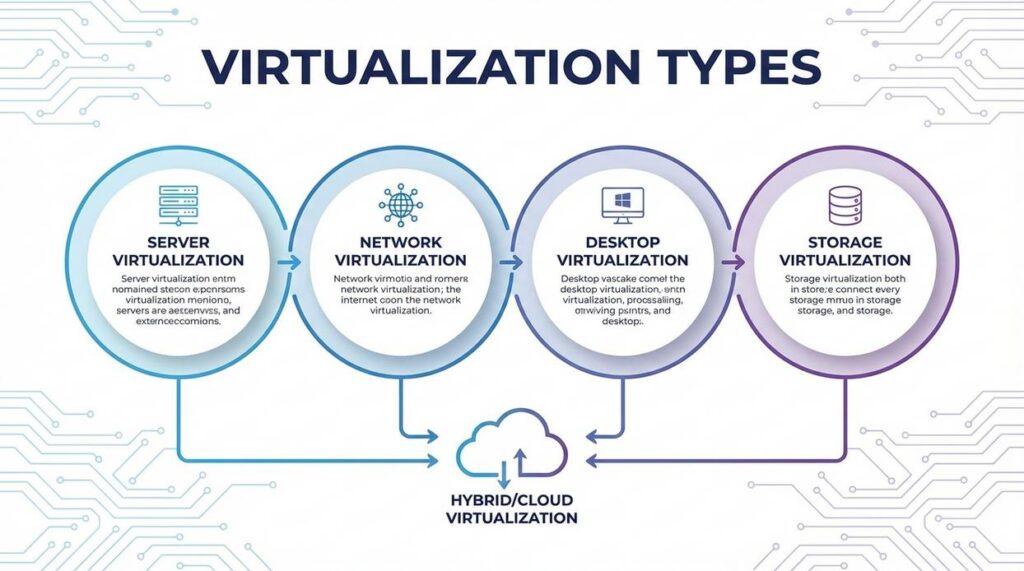
Virtualization is the process of creating a virtual (software-based) version of something traditionally physical—like servers, desktops, networks, or storage. Think of it as turning one powerful machine into many smaller, independent ones (like slicing a pizza so everyone gets a piece instead of fighting over the box).
Server Virtualization
Server virtualization allows multiple operating systems and applications to run on a single physical server. A software layer called a hypervisor manages these separate environments. The result? Higher hardware utilization and less “server sprawl,” where data centers fill up with underused machines. Critics argue that putting many workloads on one server increases risk if that server fails. That’s fair. But modern redundancy and failover systems significantly reduce this concern (IBM reports virtualization can improve hardware utilization rates from 15% to over 60%).
Desktop Virtualization (VDI)
Desktop Virtualization (VDI) creates virtual desktops hosted on centralized servers. Users can access their full desktop from any device with an internet connection. Some say this adds network dependency—and they’re right. If connectivity drops, productivity can stall. Still, for remote work and centralized IT control, VDI dramatically simplifies updates, patching, and security enforcement.
Network Virtualization
Network virtualization reproduces entire networks in software, including switches, routers, and firewalls. It powers modern cloud environments by enabling rapid configuration and micro-segmentation for security. Skeptics worry about complexity, but automation tools reduce manual errors and improve scalability.
• Pro tip: Segment sensitive workloads into isolated virtual networks for stronger security.
Storage Virtualization
Storage virtualization pools physical storage across devices into a single logical system. While some argue abstraction hides performance bottlenecks, centralized monitoring tools make optimization easier than managing fragmented hardware.
The Practical Benefits: Why Virtualization is a Game-Changer
Virtualization isn’t just an IT upgrade—it’s a strategic shift in how organizations use computing resources. If you’re still running one application per physical server, you’re leaving efficiency (and money) on the table.
Dramatic Cost Reduction
First and foremost, consolidating servers significantly reduces hardware, electricity, and cooling expenses. Instead of maintaining ten underutilized machines, you can run multiple virtual machines (VMs) on a single physical host. Fewer servers mean a smaller data center footprint and lower operational overhead. According to VMware research, server consolidation through virtualization can reduce hardware and operating costs by up to 50% (VMware Reports).
Recommendation: Start by auditing server utilization rates. If machines are running below 20–30% capacity, consolidation should be your first move.
Enhanced Agility and Speed
Next, consider deployment time. Provisioning a new physical server can take days or even weeks. In contrast, a new VM can be created in minutes. This speed dramatically accelerates development and testing cycles (and keeps your developers happy). If you’re reviewing cloud models, revisit cloud computing fundamentals iaas vs paas vs saas to align your virtualization strategy with the right service layer.
Improved Disaster Recovery
Because VMs are hardware-independent files, they can be backed up, replicated, and migrated quickly. If a host fails, workloads can restart on another machine within minutes—minimizing downtime and revenue loss.
Increased Security Through Isolation
Finally, isolation matters. Each VM operates independently. If malware infects one VM, others on the same host remain unaffected. While no system is invincible, segmentation dramatically limits blast radius.
In short, virtualization technology explained in the section above isn’t optional anymore—it’s foundational. Start small, measure performance gains, and scale strategically.
Virtualization shows up everywhere once you look closely. First, public cloud providers like AWS, Azure, and Google Cloud depend on hypervisors—software layers that let multiple virtual machines share one physical server—to deliver elastic, pay‑as‑you‑go infrastructure worldwide every day. As a result, businesses scale in minutes instead of buying hardware.
Next, teams build sandbox VMs for safe software testing. Because each environment is isolated, a failed patch won’t crash the main system (a lifesaver before big launches).
Finally, companies run legacy apps on modern devices by recreating outdated operating systems virtually. Learn more in virtualization technology explained in the section.
You came here to better understand how modern computing systems work, how AI and machine learning integrate into real-world applications, and how data encryption and optimization techniques protect and enhance performance. Now you have a clearer picture of how these technologies connect — and more importantly, how they impact your devices, data, and daily operations.
The real challenge isn’t access to technology. It’s understanding it well enough to use it strategically. Without that clarity, systems become inefficient, security gaps widen, and performance suffers.
By applying the principles covered here — from stronger encryption habits to smarter device optimization and a deeper grasp of virtualization technology explained in practical terms — you position yourself ahead of the curve instead of constantly reacting to change.
Take Control of Your Tech Performance
Don’t let slow systems, security risks, or confusing infrastructure hold you back. Get clear, practical insights that simplify complex computing concepts and show you exactly how to optimize, secure, and scale your technology. Join thousands of readers who rely on our trusted, in-depth tech guidance — and start transforming the way you use technology today.
 Founder & Chief Visionary Officer (CVO)
Selviana Vaelvessa writes the kind of device optimization techniques content that people actually send to each other. Not because it's flashy or controversial, but because it's the sort of thing where you read it and immediately think of three people who need to see it. Selviana has a talent for identifying the questions that a lot of people have but haven't quite figured out how to articulate yet — and then answering them properly.
They covers a lot of ground: Device Optimization Techniques, AI and Machine Learning Ideas, Data Encryption and Network Protocols, and plenty of adjacent territory that doesn't always get treated with the same seriousness. The consistency across all of it is a certain kind of respect for the reader. Selviana doesn't assume people are stupid, and they doesn't assume they know everything either. They writes for someone who is genuinely trying to figure something out — because that's usually who's actually reading. That assumption shapes everything from how they structures an explanation to how much background they includes before getting to the point.
Beyond the practical stuff, there's something in Selviana's writing that reflects a real investment in the subject — not performed enthusiasm, but the kind of sustained interest that produces insight over time. They has been paying attention to device optimization techniques long enough that they notices things a more casual observer would miss. That depth shows up in the work in ways that are hard to fake.
Founder & Chief Visionary Officer (CVO)
Selviana Vaelvessa writes the kind of device optimization techniques content that people actually send to each other. Not because it's flashy or controversial, but because it's the sort of thing where you read it and immediately think of three people who need to see it. Selviana has a talent for identifying the questions that a lot of people have but haven't quite figured out how to articulate yet — and then answering them properly.
They covers a lot of ground: Device Optimization Techniques, AI and Machine Learning Ideas, Data Encryption and Network Protocols, and plenty of adjacent territory that doesn't always get treated with the same seriousness. The consistency across all of it is a certain kind of respect for the reader. Selviana doesn't assume people are stupid, and they doesn't assume they know everything either. They writes for someone who is genuinely trying to figure something out — because that's usually who's actually reading. That assumption shapes everything from how they structures an explanation to how much background they includes before getting to the point.
Beyond the practical stuff, there's something in Selviana's writing that reflects a real investment in the subject — not performed enthusiasm, but the kind of sustained interest that produces insight over time. They has been paying attention to device optimization techniques long enough that they notices things a more casual observer would miss. That depth shows up in the work in ways that are hard to fake.